AI email
Emails with AI: from topic to finished email
A topic turns into a finished email in a few clicks: the AI reads the context of the thread, suggests suitable next steps and creates a draft — you stay in control and send it yourself.
How it works
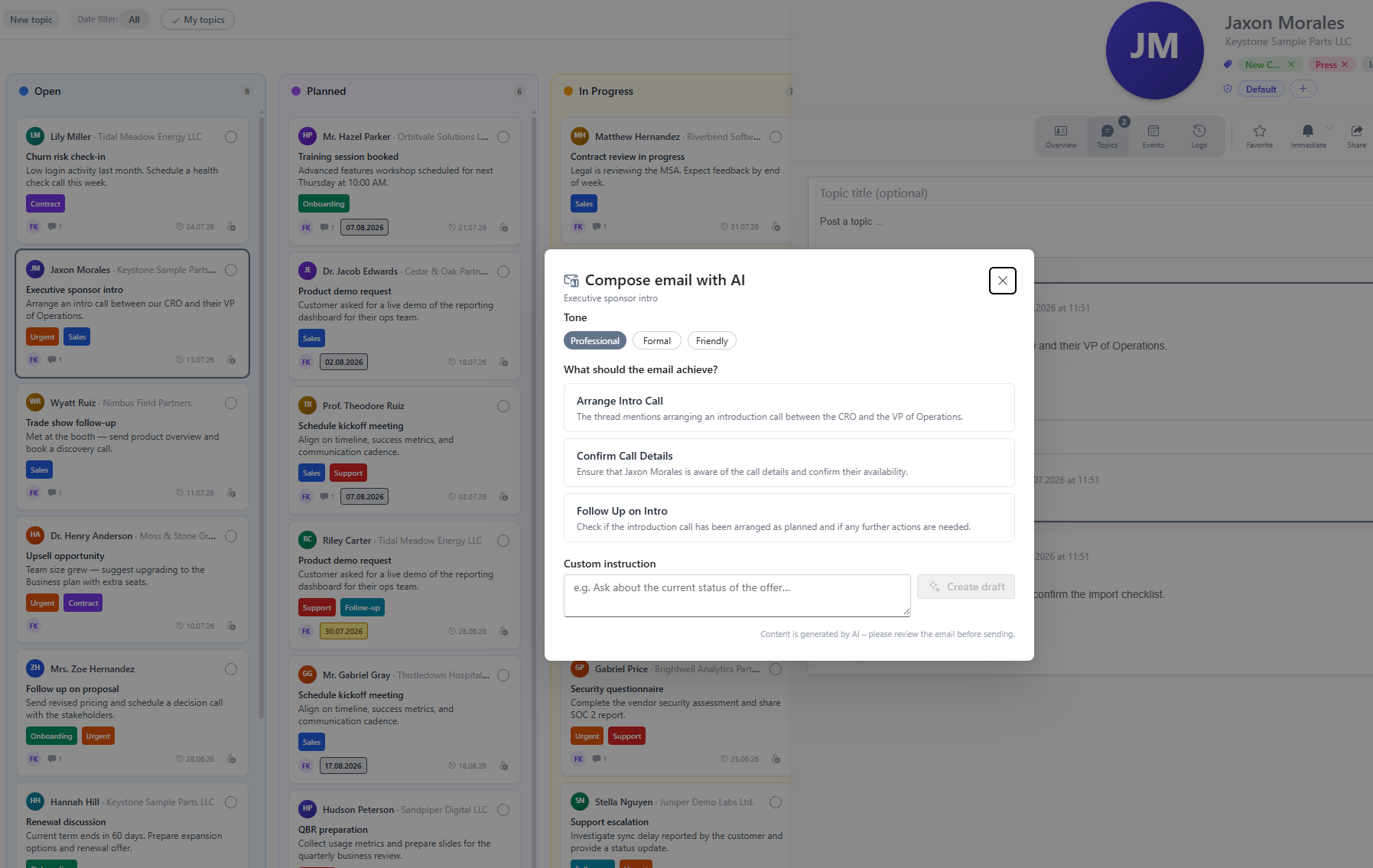
- Open a topic and start "Reply with AI".
- The AI reads the topic context and suggests actions: What should the email achieve? The options are derived from the thread — such as following up, announcing a quote or proposing a meeting.
- Pick the tone: professional, formal or friendly. Optionally add a custom instruction, e.g. "keep it short".
- The AI creates the draft. You review and edit the text.
- One click opens your mail client with the finished draft — you send it yourself.
The handover to the mail client is documented on the topic so the team can trace what was sent.
You stay in control
- No auto-send: The AI never sends anything. Every email passes through your hands.
- Traceable: The process is logged on the topic.
- Your key, your data: The AI runs through the provider your admin configured.
Prerequisite: AI settings
For the feature to be available, an administrator stores the AI provider under Administration → AI settings. Company Contacts follows the BYOK principle (Bring Your Own Key) and supports Azure OpenAI, among others. See Administration for details.
Frequently asked questions
Does the AI send emails automatically?
No, there is no auto-send. The AI only creates a draft. You review the text, hand it over to your mail client and send it yourself. The handover is documented on the topic.
Which AI providers are supported?
Company Contacts follows the BYOK principle (Bring Your Own Key): administrators store the key of their own AI provider under Administration → AI settings — including Azure OpenAI.
Which tone can I choose for the draft?
You choose between professional, formal and friendly. Additionally you can pass a custom instruction, such as "keep it short" or "reply in English".