Company contacts and CRM topics right inside Microsoft Teams
One central address book for your whole team. Sync contacts from Outlook, track topics on the board and compose emails with AI straight from a topic — without ever leaving Microsoft 365.
Used by teams worldwide on the Microsoft Teams Store
Seamlessly integrated into your Microsoft 365 environment
 Microsoft 365
 Microsoft Teams
 Outlook
 Entra ID (SSO)
 CSV import
Everything modern contact management needs
From a central address book and topic board to AI email — Company Contacts brings your CRM together in one place inside Microsoft Teams.
Central address book
Manage internal and external contacts in one place. Everyone on the team works with the same, always up-to-date data.
Outlook sync
Pull existing contacts automatically from Outlook and Active Directory — no double entry, no data silos.
Email signature scanning
Company Contacts detects contact details automatically from email signatures and creates new contacts or updates existing ones.
Emails with AI
Compose emails straight from a topic: AI suggests actions, drafts in your chosen tone — you review and send in your mail client.
Topics & collaboration
Discuss topics per contact, mention colleagues with @, comment in threads and set due dates.
Topic board (Kanban)
Track tasks and notes for every contact across six statuses — from New to Archived.
Company management
Group contacts by company including industry, address, website and social profiles.
Notifications & following
Follow important contacts and choose for yourself: immediately, as a daily or weekly summary.
Contact directly
Email, Teams message, Teams meeting or call — start every action straight from the contact.
A look inside Company Contacts
The familiar Microsoft Teams interface, thought through for everyday contact work.
Manage contacts centrally
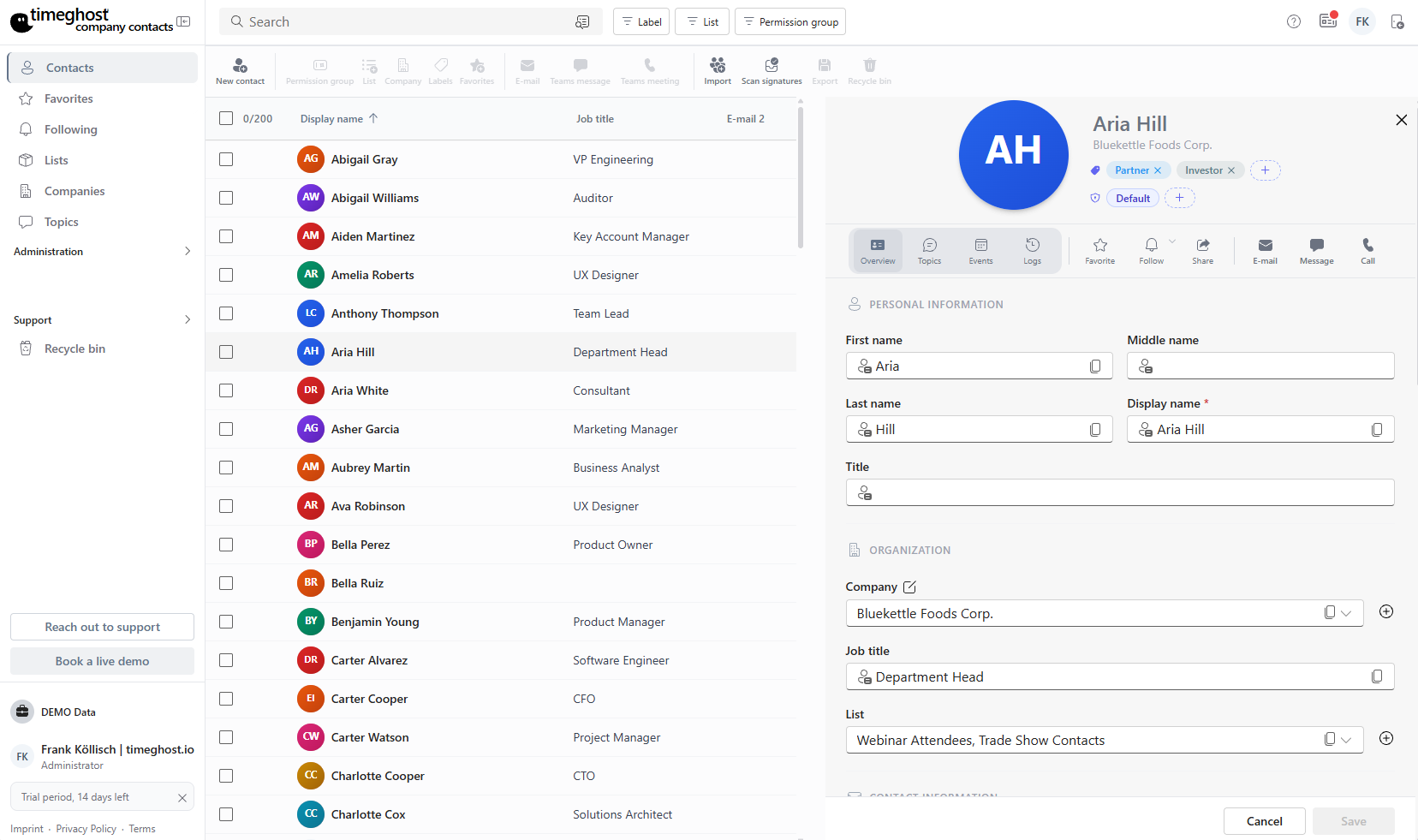
All of your team's contacts in one sortable list — display name, company, role and email at a glance. Search, filter and restrict by permission group.
Fast search & sorting
Find any contact in seconds by name, company or email.
Favorites & lists
Mark important contacts and bundle them into your own lists.
Permission groups
Control exactly who can see and edit which contacts.
Your address book fills itself
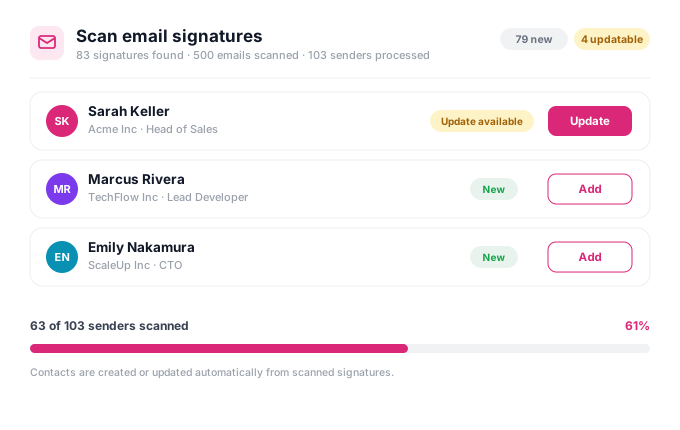
Company Contacts scans your email signatures and automatically detects name, company, role and contact details. New contacts are suggested, existing ones updated — you just confirm.
Detect signatures automatically
From sent and received emails in your Microsoft 365 environment.
Create or update
Duplicates are detected and new information is merged.
You stay in control
Every suggestion is reviewed and confirmed by you.
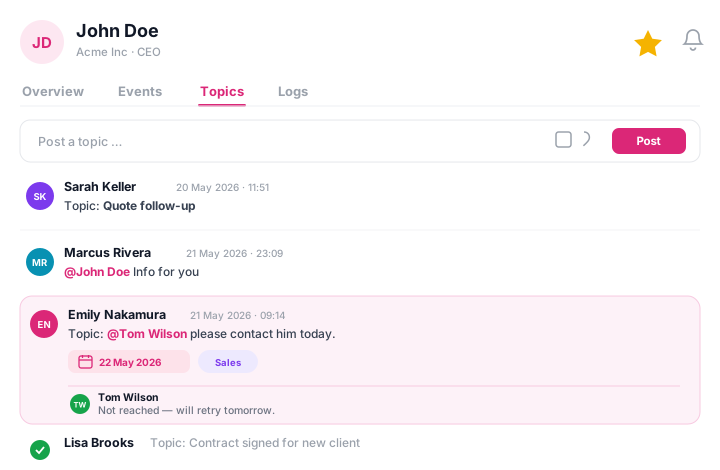
Discuss topics and collaborate
Post topics right on the contact, mention team members with @, comment in threads and set due dates. The whole team stays on the same page.
@mentions & comments
Pull colleagues straight into the topic and reply in the thread.
Due dates & tags
Prioritize and categorize every topic.
Bot notifications
Get notified when you're mentioned in a topic.
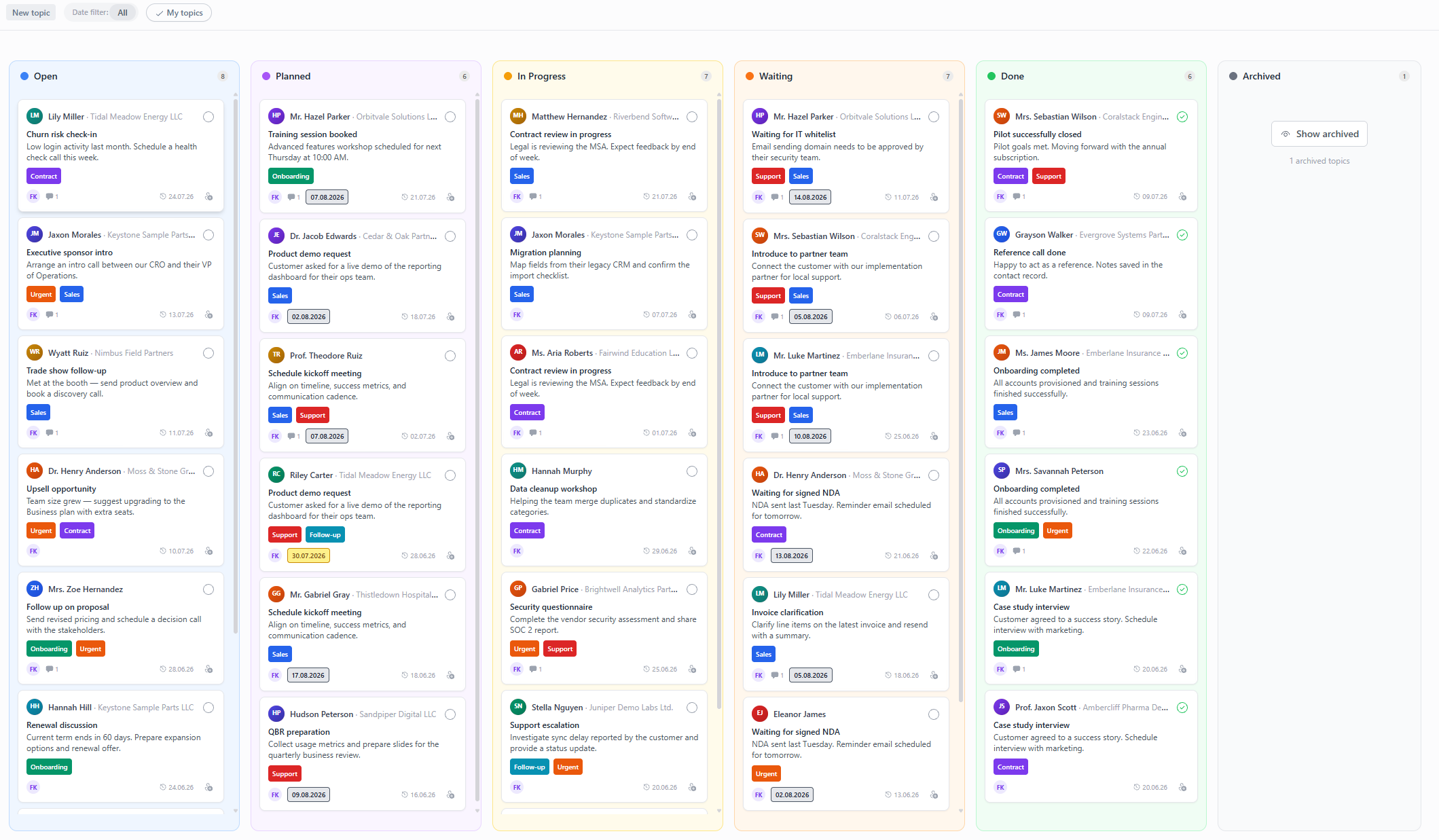
Track tasks on the topic board
Capture topics, tasks and notes around your contacts and move them across clearly defined statuses. Filter by creator, assignee or date — as a Kanban board or list.
Six statuses
New, Planned, In progress, Waiting, Done and Archived.
Tags & assignees
Assign topic tags and responsible people.
Kanban or list
Switch between board and list view as you prefer.
Emails with AI from topics
From topic to ready email — understand the context, draft the message, send in your mail client.
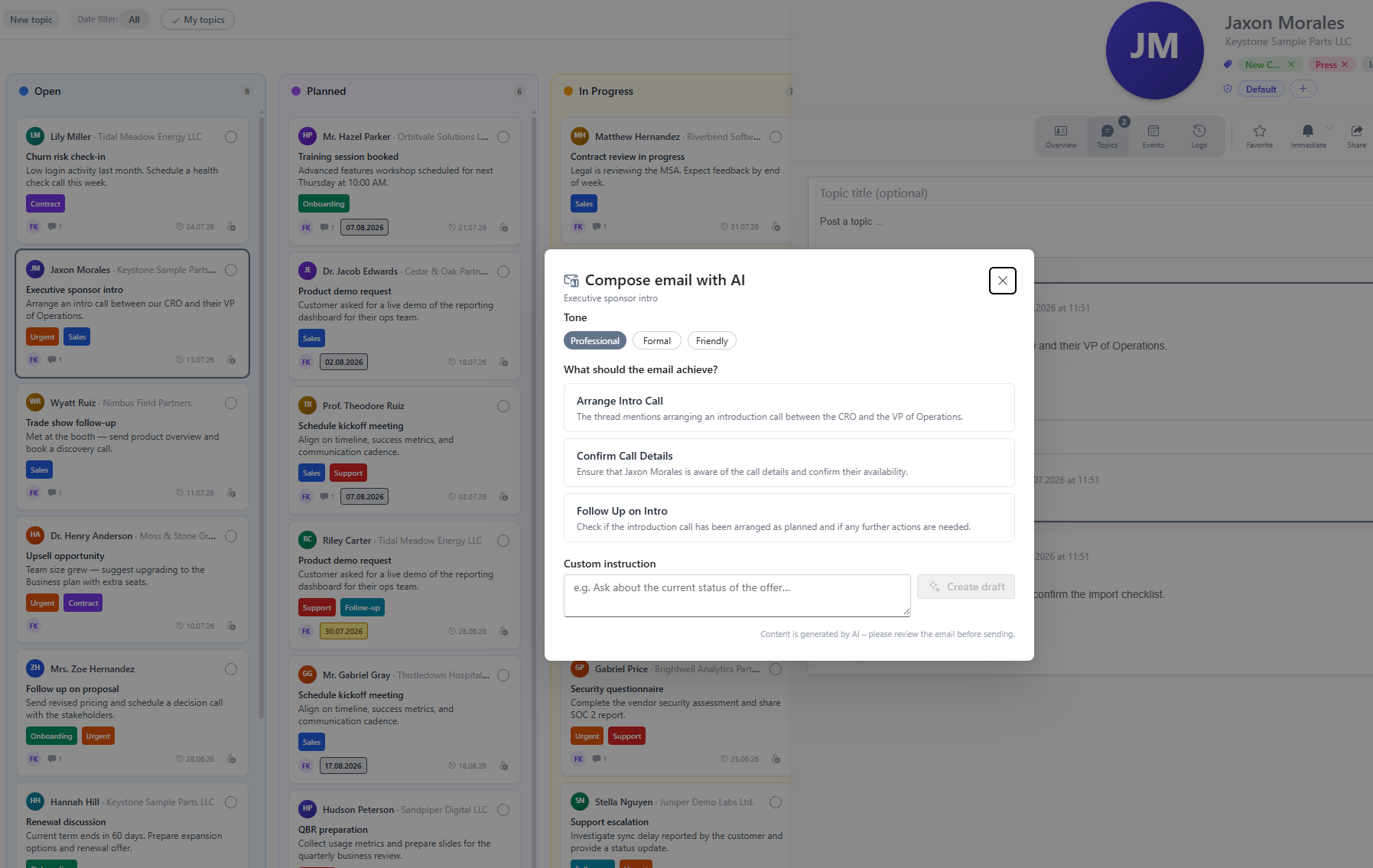
Compose emails with AI straight from a topic
AI reads the topic context, suggests the next steps and creates a draft — professional, formal or friendly. You review the text and open your mail client. The handoff is documented on the topic.
Suggested actions
What should the email achieve? AI derives options from the thread.
Draft in your tone
Professional, formal or friendly — plus your own custom instruction.
You stay in control
No auto-send. BYOK including Azure OpenAI — configured under AI settings.
Explore more features
Company management, custom fields, events and notifications — every module at a glance.
All featuresUp and running in three steps
No lengthy setup. Install, import, get going.
Install in Microsoft Teams
Add Company Contacts to Microsoft Teams in one click. Sign in via single sign-on with your Microsoft 365 account — no separate accounts needed.
Import or sync contacts
Bring in your contacts automatically from Outlook or import them via CSV file. Your address book is filled in minutes.
Organize and collaborate
Group by company, assign tags, track topics on the board, and contact people directly from the app.
Built for everyday work
What users say
Reviews from the Microsoft Teams Store.
“Finally a shared address book right inside Teams. We maintain contacts in just one place now — it saves us time every week.”
Verified user
“The Outlook sync won us over immediately. Setup in minutes, intuitive to use, no training required.”
Verified user
“The topic board is brilliant for keeping sales topics per contact in view. Exactly what we were missing.”
Verified user
Transparent pricing for every team
Flex from €29/month · Save 2 months on annual billing · 14-day free trial.
View plansFrequently asked questions
More questions? Write to us at support@timeghost.io.
Does Company Contacts run fully inside Microsoft Teams?
Yes. The app is fully integrated into Microsoft Teams and uses your Microsoft 365 environment. You work in your familiar interface — without switching between tools.
How do my contacts get into the app?
You can automatically sync existing contacts from Outlook or conveniently import them via CSV file. Both take only a few minutes.
How does email signature scanning work?
Company Contacts analyzes the signatures in your emails and automatically detects name, company, role and contact details. It then suggests new contacts or updates existing ones — every suggestion is confirmed by you before it is applied.
How does email with AI work?
From any topic you can compose emails with AI. It suggests actions, drafts in your chosen tone and hands off to your mail client — nothing is sent automatically. Admins configure the AI provider under Administration > AI settings (BYOK, including Azure OpenAI).
Do I need a separate account?
No. Sign-in works via single sign-on with your existing Microsoft 365 account. No additional accounts or passwords required.
Is the solution GDPR-compliant?
Yes. All data is processed within the EU and stored in your Microsoft 365 environment. Company Contacts is developed in Germany and ISO 27001 compliant.
Who can see which contacts?
Permission groups let you control exactly which team members may see and edit which contacts and topics.
Is there a free trial?
Yes. You can try Company Contacts free for 14 days — no risk and cancellable anytime.
Ready for a central address book in Teams?
Start your free trial today — installed in minutes, GDPR-compliant from Germany.
Start for free now