Everything for professional contact management
Company Contacts combines address book, CRM topics, AI email and Microsoft Teams collaboration in one app. Here is every module in detail.
Contacts
Central address book for internal and external contacts — sortable, searchable and available to the whole team.
Outlook sync
Pull contacts automatically from Outlook and Active Directory — no double entry.
Email signature scanning
Detects contact details automatically from email signatures and creates or updates contacts.
Emails with AI
Compose emails straight from a topic: AI suggests actions and creates drafts — you review and send in your mail client.
Companies
Manage companies with industry, address, time zone, website and social media.
Topics & comments
Discuss topics per contact, mention colleagues with @ and reply in threads.
Topic board (Kanban)
Track tasks and notes around your contacts across six statuses — as a board or list.
Custom fields
Extend contacts with custom fields — selection, text, number or date.
Notifications & following
Follow contacts and choose: immediately, as a daily or weekly summary.
Contact directly
Email, Teams message, meeting or call — straight from the contact.
Favorites & lists
Mark important contacts and bundle them into your own lists for projects or campaigns.
Tags
Categorize contacts and topics with your own contact and topic tags.
Permission groups
Control exactly who can see and edit contacts via permission groups.
Team & roles
Invite colleagues and manage roles centrally.
Recycle bin
Deleted contacts land in the recycle bin and can be restored.
Import & export
Outlook sync, CSV import and export of your data — anytime, no lock-in.
Emails with AI from topics
From topic to ready email — understand the context, draft the message, send in your mail client.
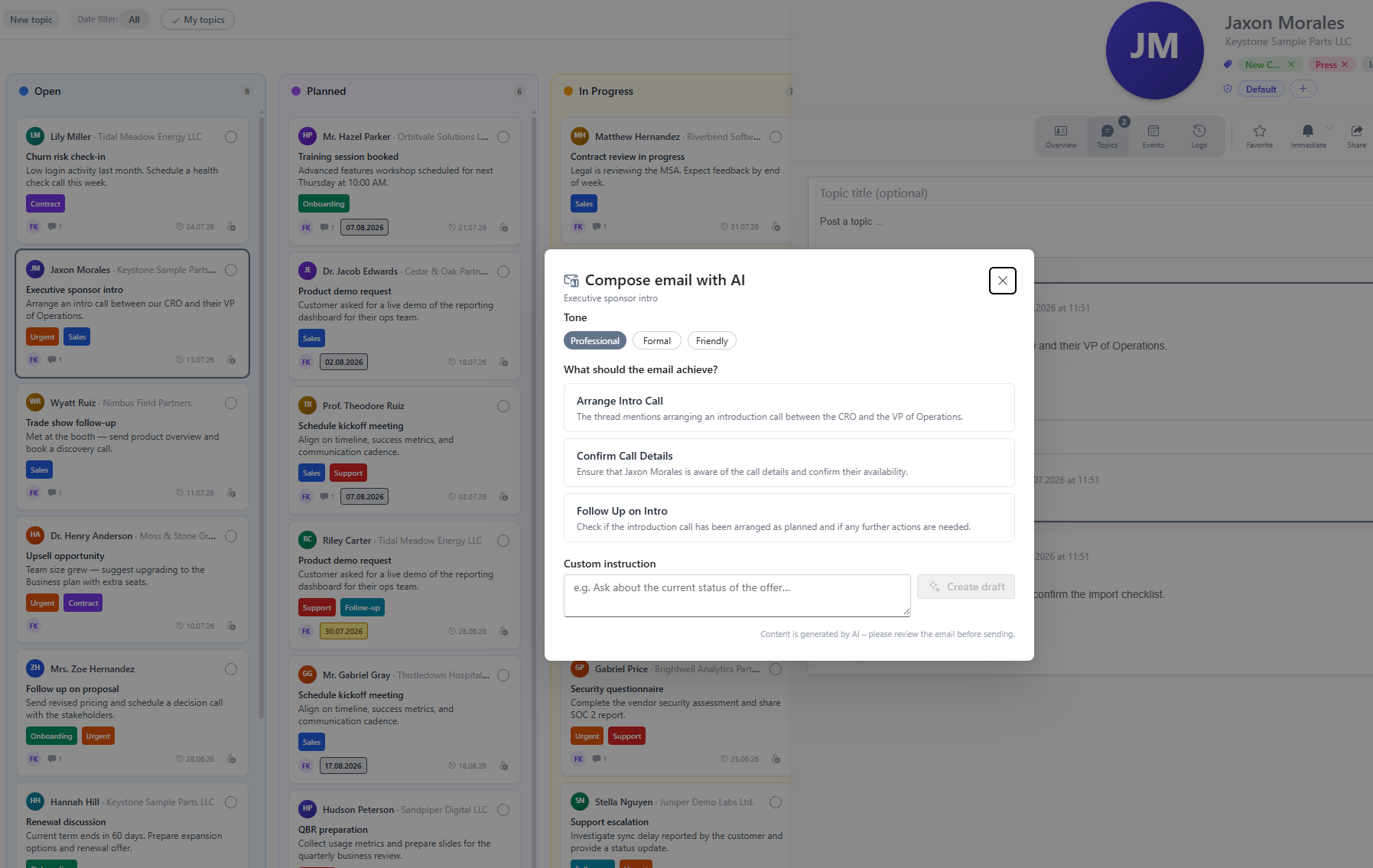
Compose emails with AI straight from a topic
AI reads the topic context, suggests the next steps and creates a draft — professional, formal or friendly. You review the text and open your mail client. The handoff is documented on the topic. Admins configure the provider under Administration > AI settings (BYOK, including Azure OpenAI).
Suggested actions
What should the email achieve? AI derives options from the thread.
Draft in your tone
Professional, formal or friendly — plus your own custom instruction.
You stay in control
No auto-send. Reply with AI and track send status on the topic.
Capture automatically, stay on top together
The features that set Company Contacts apart from a plain address book.
Scan email signatures
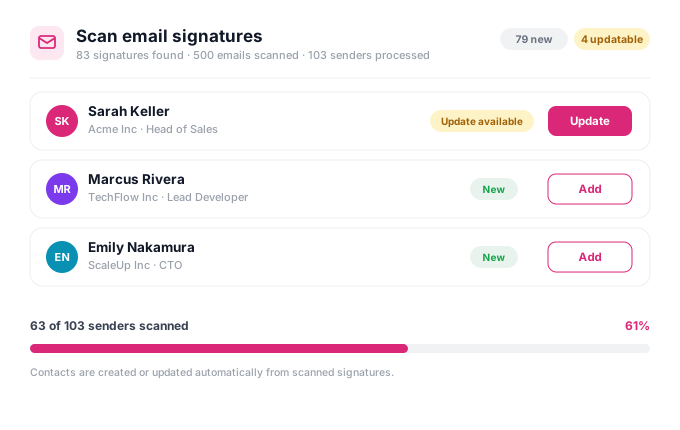
Company Contacts detects contact details automatically from your email signatures. New contacts are suggested, existing ones updated — you confirm with one click.
Automatic detection
Name, company, role and contact details from signatures.
Create or update
Duplicates are detected, data is merged.
With confirmation
Every suggestion is reviewed by you.
Topics, mentions & comments
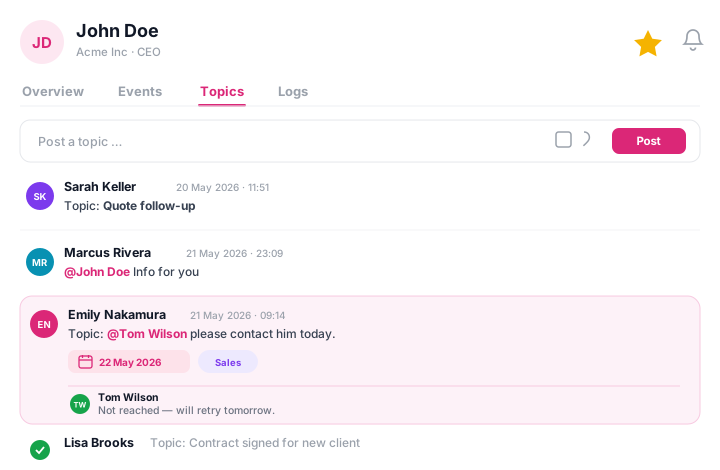
Capture tasks, conversation notes and to-dos per contact. Post topics, mention team members with @, reply in threads and set due dates.
@mentions
Pull colleagues straight into the topic.
Due dates & tags
Prioritize and categorize every topic.
Status & assignees
Six statuses and clear responsibilities.
Following & notifications
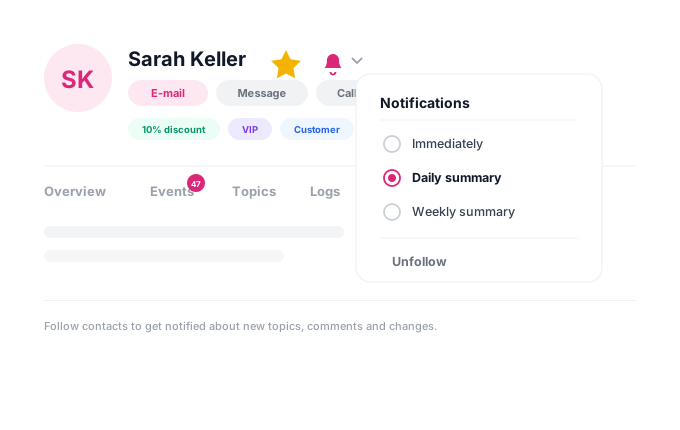
Follow the contacts that matter to you and decide for yourself how often you are informed — immediately on every activity or bundled as a summary.
Immediate, daily or weekly
Set the notification frequency per contact.
Favorites
Mark important contacts for quick access.
Custom fields
Add custom fields to every contact.
Every contact in detail
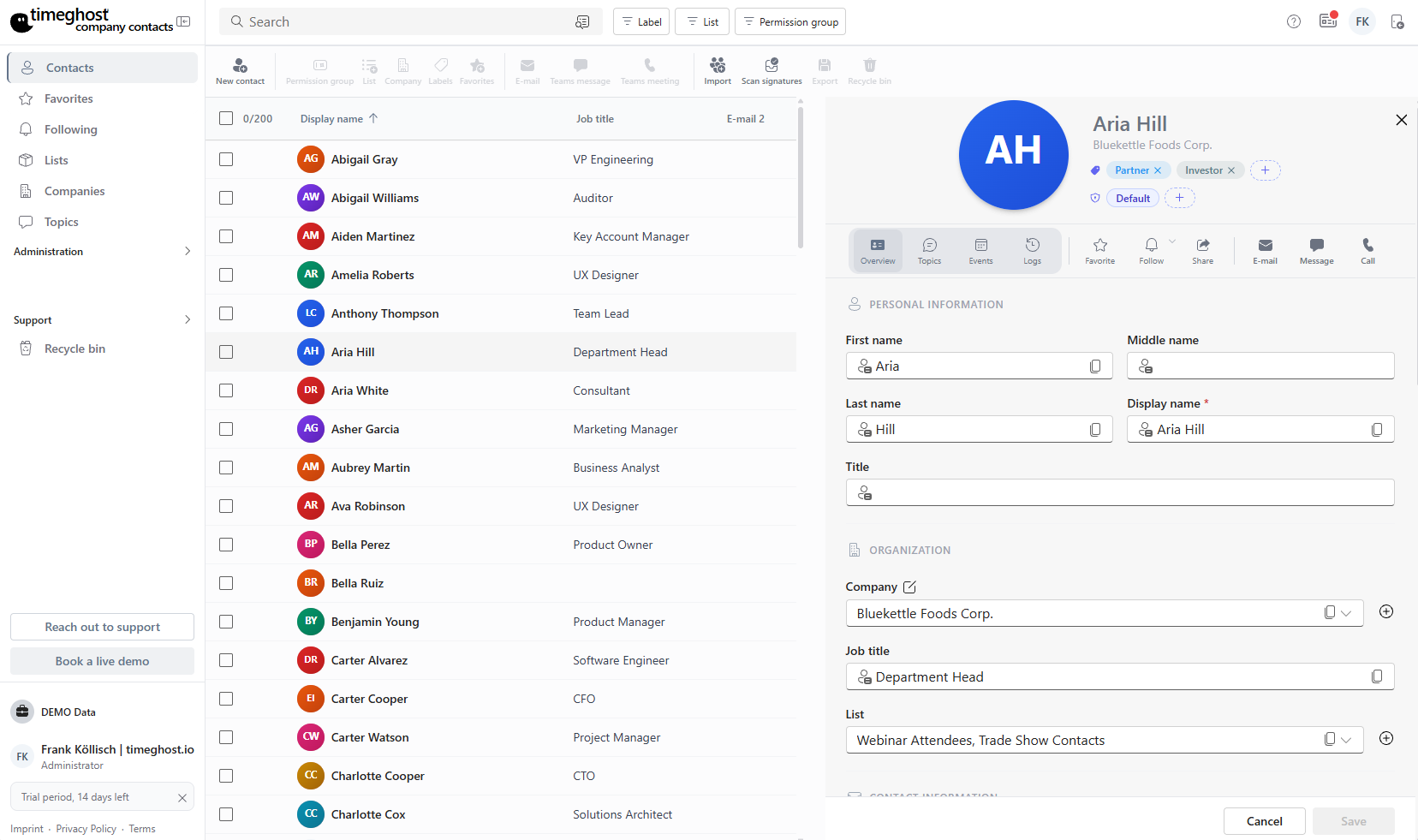
A contact's detail view is organized into four areas — for a complete overview.
Personal data & organization
First name, last name, display name, and title, plus company, job title, and list assignment. Along with contact information like email and phone, addresses, web & social media, notes, and custom fields — all in one place.
Act straight from the contact
Reach out without switching tools
Start any communication with a single click straight from Company Contacts — your Microsoft Teams and Outlook integration makes it possible.
Send email
Open a new email to the contact directly in Outlook.
Teams message
Start a chat in Microsoft Teams without detours.
Teams meeting & call
Schedule a meeting or call directly.
See for yourself
Try all features free for 14 days in your own Microsoft Teams environment.
Start for free